How to Cheat in Chess.com Using Browser Extensions
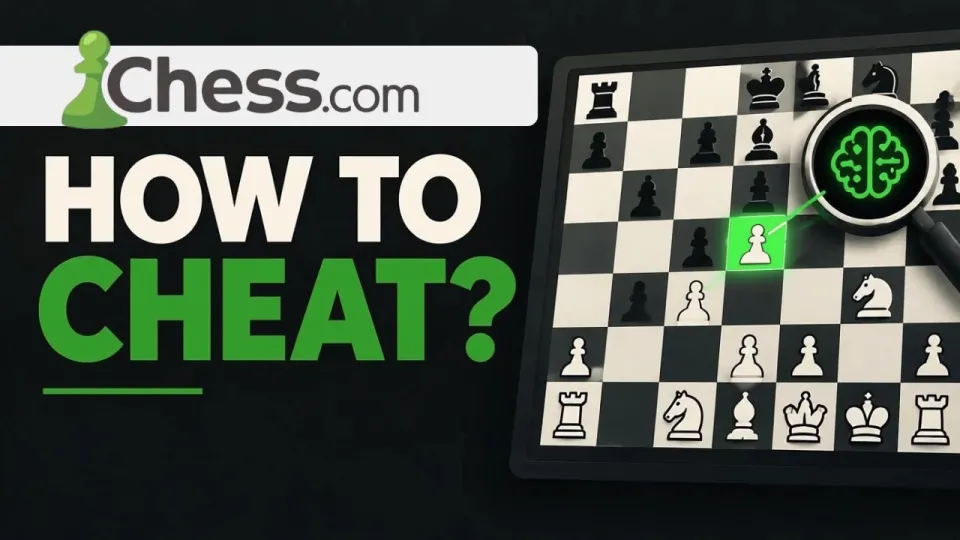
Video: How to cheat in Chess.com (Chess.com cheats)
· based on the channel Matyc
Cheating on Chess.com means running a chess engine alongside your live game so that it suggests the best move before you play it. The most common method is a browser extension or userscript that reads the board and draws an engine arrow over it, and the Matyc channel demonstrates one such build distributed through the xmods.cc item page. Everything below explains how these tools are structured, how the detection side works, and what actually happens to accounts that use them.
How chess.com cheat extensions actually work
A chess.com cheat extension is a small browser add-on that hooks into the page and adds an engine layer on top of the board. Nothing is modified on Chess.com's servers — the tool only reads what is already rendered in your browser and calculates a reply locally or through an online engine API.
The typical pipeline has three parts:
- Board reading. The script parses the DOM of the game page or grabs the position from the network traffic the client already receives. It converts the pieces into a FEN string, the standard text format for a chess position.
- Engine evaluation. That FEN is sent to a bundled JavaScript engine or to a remote Stockfish instance. The engine returns a principal variation and an evaluation score, usually in centipawns.
- Overlay rendering. The best move is drawn as an arrow on the board, sometimes with a small evaluation bar and a list of the top three candidate moves.
Most builds are delivered as a Tampermonkey userscript or as an unpacked Chrome extension loaded through developer mode. That is why the setup instructions in these videos almost always involve installing a userscript manager first, then pasting or importing the script.
Installing a chess.com cheat step by step
The installation is a browser-side procedure, and it fails more often at the setup stage than at the game stage. A generic install for a userscript-based chess.com hack looks like this:
- Install a userscript manager such as Tampermonkey in Chrome, Edge or Firefox.
- Open the distribution page — in the Matyc walkthrough this is the xmods.cc item link — and copy or download the script file.
- In the userscript manager, create a new script, paste the code and save it. The manager should show the script as enabled.
- Open Chess.com, start a game against a bot or in an unrated mode first, and check whether the overlay arrow appears.
- If nothing shows up, reload the page with the extension already active; some builds only attach to the board after a full refresh.
A chess bot overlay that draws nothing is the single most common complaint under this kind of tutorial. The usual causes are a script that loaded before the board did, a browser that blocks the engine's remote calls, or an outdated selector after a Chess.com front-end update.
What the Chess.com anti-cheat system looks for
Chess.com's fair-play detection does not need to see your screen; it looks at the moves. The system scores every game for how closely a player's choices match engine top lines, weighted by position complexity — a 98% match in a quiet endgame is normal, the same figure across a run of sharp tactical positions is not.
The signals that trigger a review include:
- Accuracy spikes. A sudden jump from your usual level to near-perfect play across several games.
- Time patterns. Instant moves in complex positions, or a consistent pause before every critical move that matches an engine's thinking time.
- Rating trajectory. Rapid gains that outpace what the rating system expects from a player at that level.
- Device and browser fingerprints. Recurring links between accounts, including accounts that were previously closed.
Reviews are done by the fair-play team, sometimes with human eyes on the games. Bans are applied to the account, and rating points from affected games are removed from opponents.
Typical problems users run into
Questions under cheat tutorials cluster around a handful of practical failures rather than the concept itself. The most frequent one is simply not knowing what to do once the script is installed and a game has started: the tool is passive, so there is no button to press — the arrow should appear on its own after the first move.
The second cluster is access. People report that they cannot find the distribution page, that the download link is dead, or that the file they got is flagged by their browser or antivirus. Third-party cheat builds are frequently repackaged, and an executable from an unknown source is a genuine security risk on top of the account risk.
The third cluster is compatibility. Chess.com ships front-end changes regularly, and a script written against last month's page markup can silently stop working. That is why a build that worked for one player fails for another on the same day.
Why engine assistance is a losing trade
Cheating on Chess.com is technically easy and practically expensive. The account you boost is the account that gets closed, and closures are not reversible; a banned profile loses its rating, its game history and any paid membership attached to it.
The rating itself is worthless once it is inflated. A player who reaches 2000 with an engine cannot play 2000-level chess, so the number stops reflecting anything and unrated or casual games become the only ones that feel real. Meanwhile the tools carry their own risk: unknown executables, scripts with full page access, and credentials typed into a browser that is running third-party code.
The legitimate alternative is the same engine used openly. Chess.com's own analysis board, plus the built-in bots and the unlimited puzzles in a paid plan, let you review your games with Stockfish feedback after the fact — the improvement mechanism without the ban.
Conclusion
Chess.com cheat extensions are real and they work the way the Matyc breakdown shows: a userscript or browser add-on reads the board, queries an engine and draws the suggested move on top of the game. The catch is that the same move data feeds Chess.com's fair-play review, and account closures for engine assistance are permanent. If you want to see the exact build covered in the video, the distribution page is the xmods.cc chess.com cheat item; treat anything you install from a third-party source as untrusted code on your machine. For players who want to keep their account, post-game analysis with the same engine delivers most of the learning value with none of the risk. The video walkthrough on the Matyc channel covers the installation sequence in full.
FAQ
Does a chess.com cheat extension work in live rated games?
Technically the overlay runs in any game the browser renders, including rated ones. Practically, rated games are exactly where the fair-play system concentrates its accuracy and timing checks, so engine assistance there is the fastest route to a closed account.
Why does the cheat overlay not show any arrows during my game?
Most often the script loaded before the board did, so it never attached to the game element. Reload the page with the extension already enabled, confirm the userscript manager lists the script as active, and check whether your browser is blocking the engine's network requests.
Is using a chess bot on Chess.com against the rules?
Yes. Chess.com's fair-play policy prohibits engine assistance in any game where the result affects rating, and it also covers unrated games played against other people. Bots are only allowed in the dedicated bot mode, which is built into the site.
What happens if my account gets flagged for cheating?
Flagged accounts are reviewed, and confirmed cases are closed rather than warned. The profile loses its rating and game history, opponents get rating points back, and any paid subscription tied to the account goes with it.
Key takeaways
- Chess.com cheating tools are usually browser extensions or userscripts that overlay a chess engine's suggested move on the live board.
- The method shown by the Matyc channel relies on a third-party page at xmods.cc that distributes the cheat build.
- Chess.com's fair-play team compares move accuracy against engine lines; accounts flagged for engine assistance are closed, not warned.
- Most cheat builds are installed as a Tampermonkey userscript or an unpacked Chrome extension loaded in developer mode.
- Common user problems: the overlay does not appear mid-game, the script fails to load, or the site link cannot be found.
Questions & answers
Does a chess.com cheat extension work in live rated games?
Technically the overlay runs in any game the browser renders, including rated ones. Practically, rated games are exactly where the fair-play system concentrates its accuracy and timing checks, so engine assistance there is the fastest route to a closed account.
Why does the cheat overlay not show any arrows during my game?
Most often the script loaded before the board did, so it never attached to the game element. Reload the page with the extension already enabled, confirm the userscript manager lists the script as active, and check whether your browser is blocking the engine's network requests.
Is using a chess bot on Chess.com against the rules?
Yes. Chess.com's fair-play policy prohibits engine assistance in any game where the result affects rating, and it also covers unrated games played against other people. Bots are only allowed in the dedicated bot mode, which is built into the site.
What happens if my account gets flagged for cheating?
Flagged accounts are reviewed, and confirmed cases are closed rather than warned. The profile loses its rating and game history, opponents get rating points back, and any paid subscription tied to the account goes with it.
Source: How to cheat in Chess.com (Chess.com cheats) · Markdown version